

Tight, not lumpy
Collision follows the real surfaces: doorways stay open, stairs become smooth ramps, and furniture gets its own shapes only if you want it. Built to leave no invisible walls and no holes to fall through.
CollisionGen Studio for Windows
Drop in a building or a level. CollisionGen Studio gives it tight, simple collision — boxes and convex hulls a physics engine loves — that you can walk through, adjust and export straight to Unreal Engine, Unity, Godot or Blender.
Not on sale yet. One payment. Works offline. Works with the free CollisionGen for Unreal plugin.
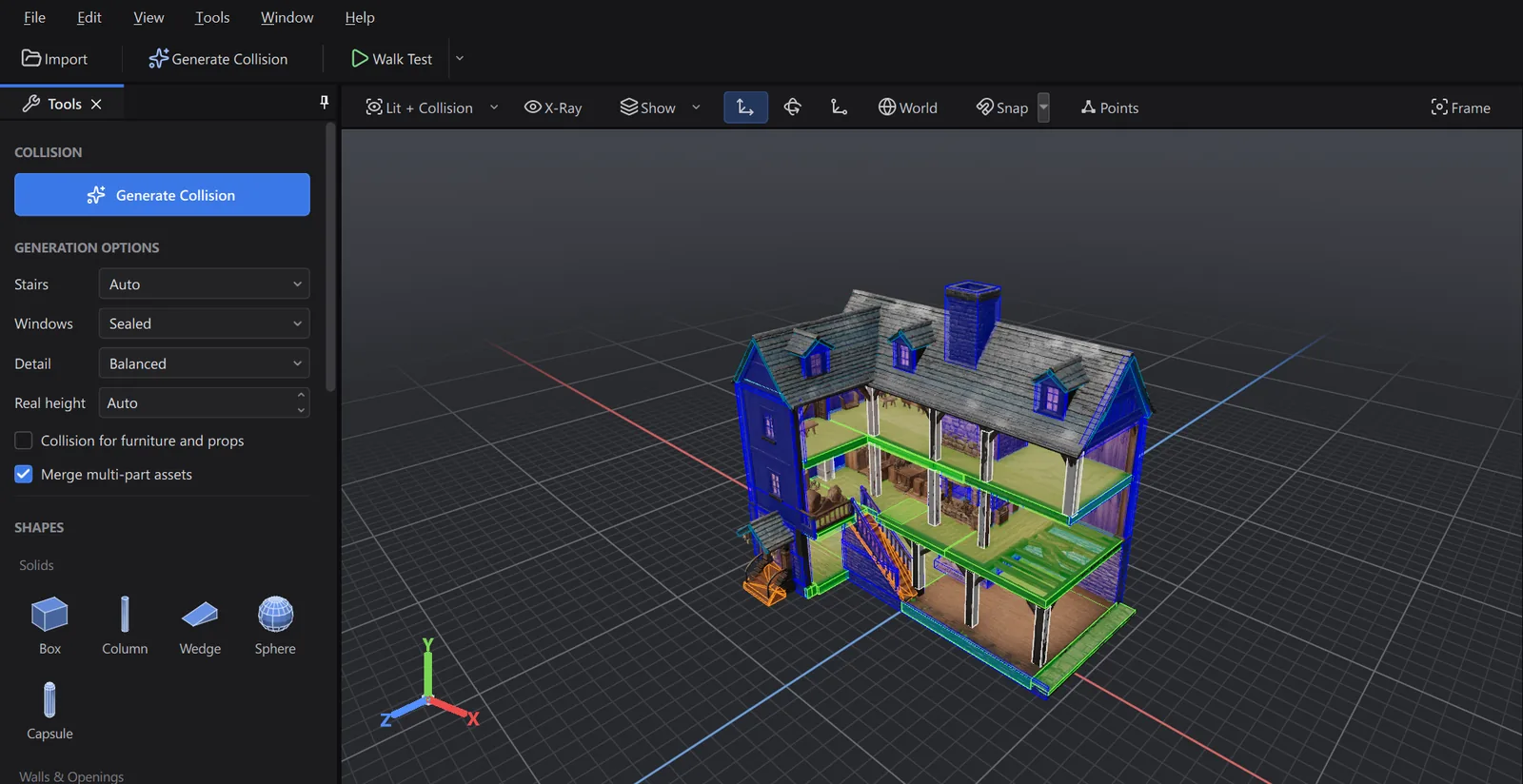
Collision follows the real surfaces: doorways stay open, stairs become smooth ramps, and furniture gets its own shapes only if you want it. Built to leave no invisible walls and no holes to fall through.

A whole building in tens of simple shapes, not thousands of triangles. Physics stays fast on every platform you ship to.

An editor that feels like your engine: move, rotate and scale shapes with a gizmo, add stairs, arches and domes from a shape library, edit hull points one by one. Regenerate one area and the rest stays as you left it.

Unreal Engine (UBX/UCX), Unity (colliders built on import), Godot 4, Blender, glTF with OMI physics, FBX and OBJ. Resize and turn the export as it goes out.

The free CollisionGen for Unreal plugin on Fab uses your Studio: right-click a Static Mesh in the Content Browser and it gets the same collision.

Your models never leave your computer. After a one-time activation the Studio needs no internet at all.
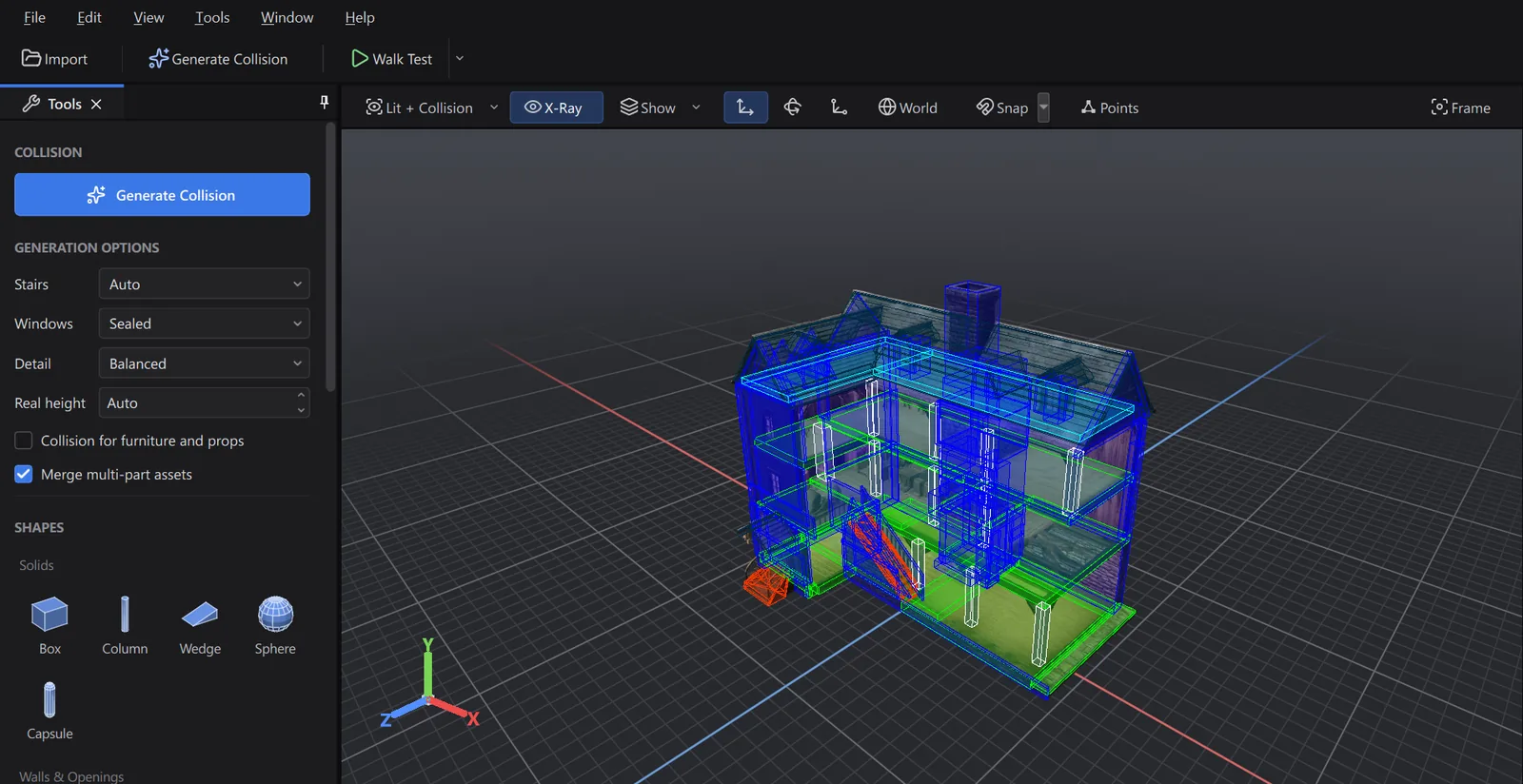
Generation does most of the work. For the rest, CollisionGen Studio gives you the tools a level designer expects: selection by click, box or category; a transform gizmo with snapping; undo for everything; and merge, fit to the mesh and regenerate inside a selection, done by the same engine that made the collision.
CollisionGen Studio is nearly ready. It is not on sale yet; read the documentation to see what it will do.